Tiny Desk AI Video Generator
Turn 1–5 photos into a 17-second Tiny Desk-style band video with the original audio. 720p or 1080p, no subscription. Unofficial fan tool.
Last updated: 2026-11-01
Use the Tiny Desk AI video generator to choose who appears in a fixed band performance. Start with yourself at the lead mic, or cast a whole group across five spots. Outstanding Tiny Desk AI runs the generation for you; nothing to install.
What this generator makes
The result is a 17-second vertical band clip with your selected faces and clothing worked into the scene. The original audio remains in place. You are choosing the cast of one performance, rather than writing a prompt for an unrelated scene or a new song.
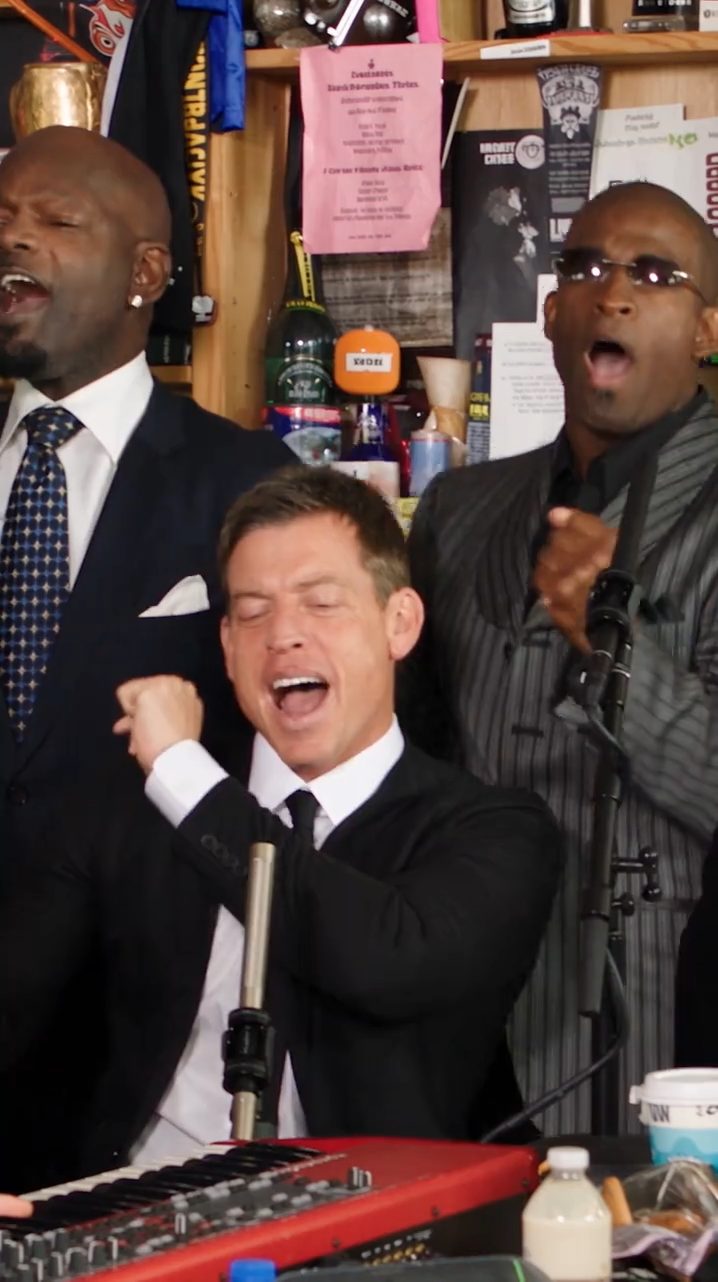
An existing AI-generated example from our gallery.
Generate in three steps
Upload 1–5 photos
Prepare a separate JPG or PNG for each person. The lead photo is required; the other four are optional. Check the photo requirements before choosing files.
Assign each spot
Match each photo to its performer slot. Decide the cast before submitting: filling more spots does not raise the credit cost for your selected resolution. The template guide identifies all five positions.
Download & share
Choose a resolution, confirm consent and start generation. After processing, open My videos and save the MP4. For a walkthrough of the controls and posting steps, use the step-by-step tutorial.
Output specs
Setting | Output |
|---|---|
Length | 17 seconds |
Aspect | Vertical, 9:16 |
720p | 100 credits per video |
1080p | 200 credits per video |
Format & audio | MP4, original audio included |
Watermark | No added watermark |
Credit packs start at $8.45, paid once with no subscription. See the current credit packs and pricing.
Who uses it
- Friends making a reaction clip for a group chat.
- A band trying a playful version of its own lineup.
- Birthday guests casting the person they are celebrating as the lead.
- Coworkers making a short team clip, with each person's permission.
Generator vs. editing it yourself
A manual edit means tracking faces across moving shots, handling obstructions and keeping replacements consistent from one cut to the next. This generator takes photos as the inputs and keeps the performance fixed. That saves setup, but it also means you cannot rearrange the shots, extend the song or choose a different camera move here.
FAQ
- Do I need editing skills?
- No. You choose the photos and assign the performers in the studio. The template supplies the camera sequence, movement and audio; there is no editing timeline to learn.
- How many people can be in one video?
- You can recast 1–5 performers. Add a lead singer photo, then optionally fill the front mic, two back-row singers and sax player. Unfilled spots keep their original performers.
- What resolution do I get?
- Choose 720p for 100 credits or 1080p for 200 credits. Both produce a vertical MP4 with the original audio and no added watermark.
- How long does generation take?
- Allow 5–30 minutes for generation. Busy periods can take longer. The result appears in My videos, where you can download it when it is ready.
- Is this tool made by NPR or Tiny Desk?
- No. This is an independent fan tool, with no affiliation with or endorsement from NPR, Tiny Desk Concerts, Charlie Wilson or The Gap Band.